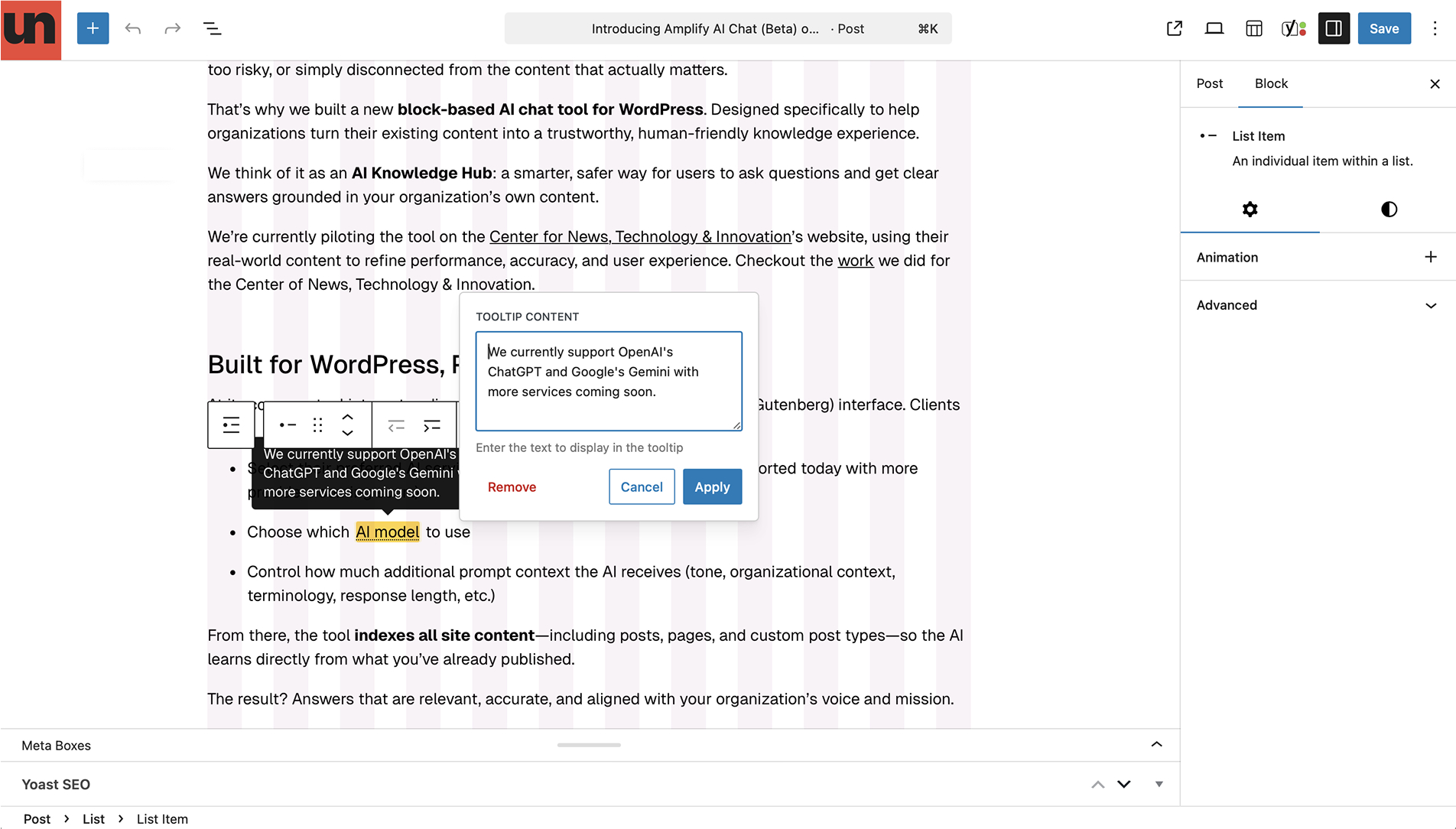
We’ve added a new tooltip formatting option to the Rich Text block in Gutenberg. This format allows editors to apply a tooltip to selected text, revealing additional context on hover or focus—without disrupting the flow of the content.
Tooltips are especially useful when you need to clarify terminology, acronyms, or references without adding extra sentences or links. They’re a great fit for editorial content, reports, and explainer pages where precision matters but readability is key.
By keeping supplemental information tucked away until it’s needed, tooltips help maintain a clean layout while still supporting deeper understanding.
Because this option is limited to Rich Text blocks, it’s easy to apply inline and remains consistent with existing editorial workflows. No custom blocks or shortcodes required.
This is part of Amplify Block’s 4.37.0 release.