Get more out of your website without waiting on a developer. Our new Lunch and Learn webinar series gives your team practical, hands on training for the everyday tasks that keep your site running smoothly.
These sessions exist because the people who manage content day to day often know the least about the tools built to support them. Blog posts, template parts, events, and the admin dashboard all play a role in how your site looks and functions, and a little guidance goes a long way toward using them well.
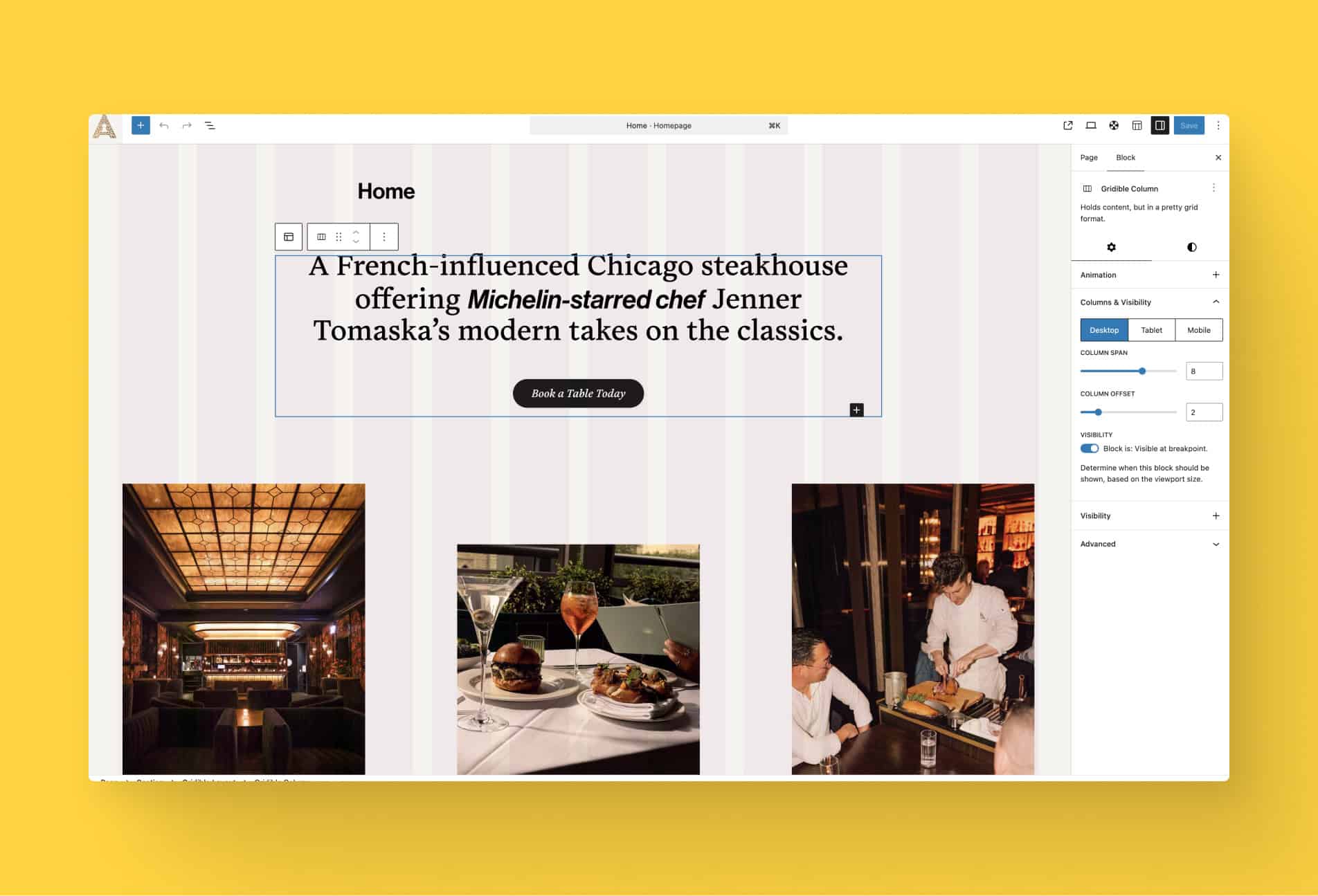
Each session runs 30 to 45 minutes over lunch and covers one focused topic inside the WordPress block editor. Our first four sessions include:
Manage Your WordPress Blog Posts: learn to create, organize, and publish blog posts, including categories, featured images, and scheduling.
Editing Template Parts: customize your site’s header, footer, and other reusable template parts directly in the block editor.
Creating and Managing Events: add, edit, and organize event posts with dates, locations, and registration details.
Navigating the Admin Dashboard: explore the WordPress admin menu and understand how available options shift based on user role.
No setup required, just bring your questions. Sign up to save your spot and start building confidence in your site, one session at a time.
Join Us for a Lunch & Learn
We’re hosting monthly sessions designed to help you get the most out of Amplify and the latest WordPress features. Each session covers a variety of topics. From practical training and tips to answering the questions we hear most from you.
"*" indicates required fields