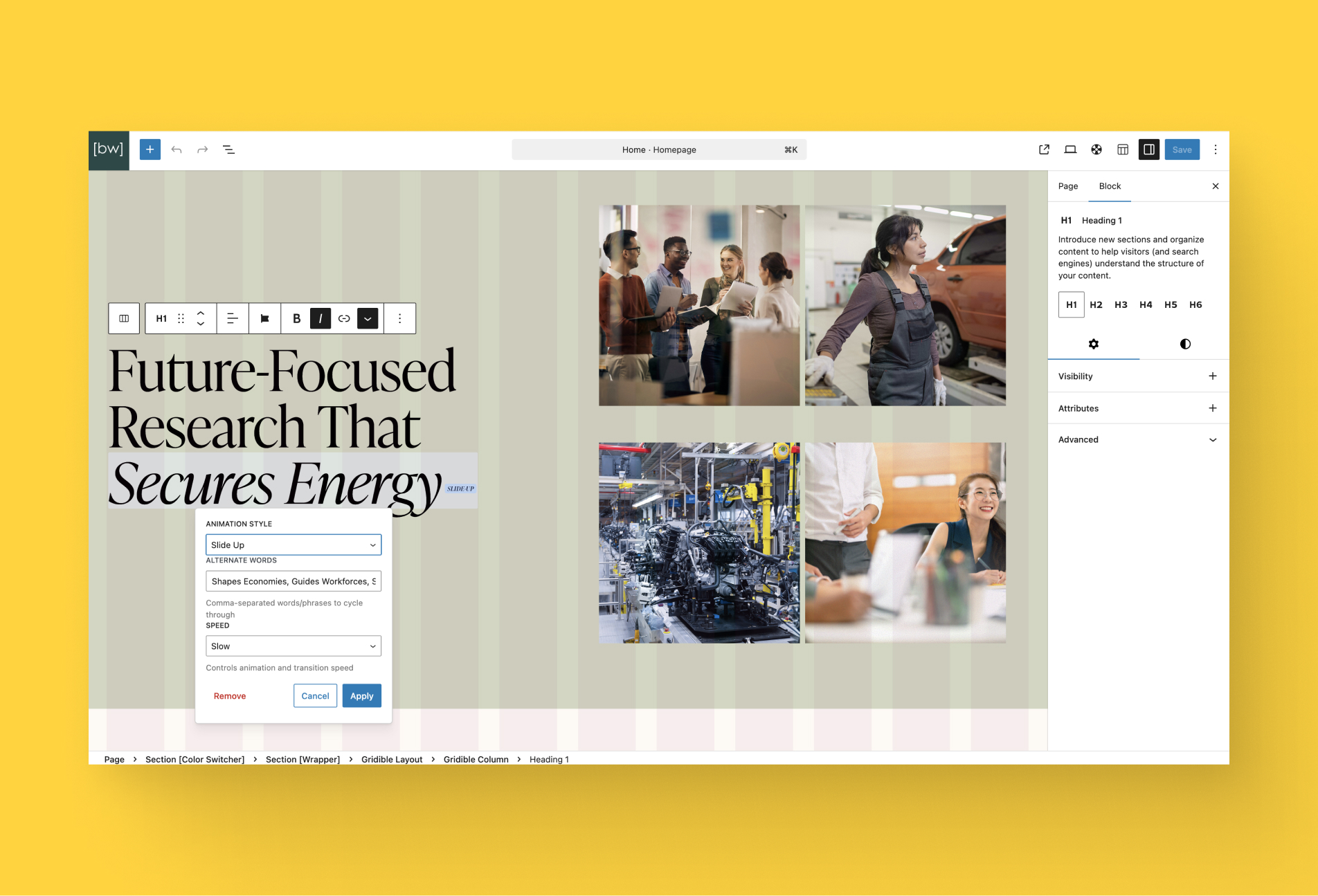
We’ve added a new Text Animation format to the Rich Text block in Gutenberg. This new formatting option lets editors animate selected words, phrases, or sentences right inside rich text. Just like applying bold or italics. All without needing custom blocks or shortcodes.
Once a piece of text is selected, editors can choose from a growing list of animation styles (like decode, fade-in, rotate, bounce, and more) and then define additional words or phrases to cycle through with that animation. It’s a flexible way to bring content to life, draw attention to key terms, and make editorial experiences more engaging.
This format works seamlessly within the existing Rich Text workflow in the Gutenberg editor. Editors familiar with text formatting will find the experience intuitive: highlight text, pick an animation style from the format toolbar, and enter one or more values to animate through. There’s no need to leave the text block or manage separate animation controls elsewhere.
This feature is part of Amplify Blocks’ 4.40.0 release.