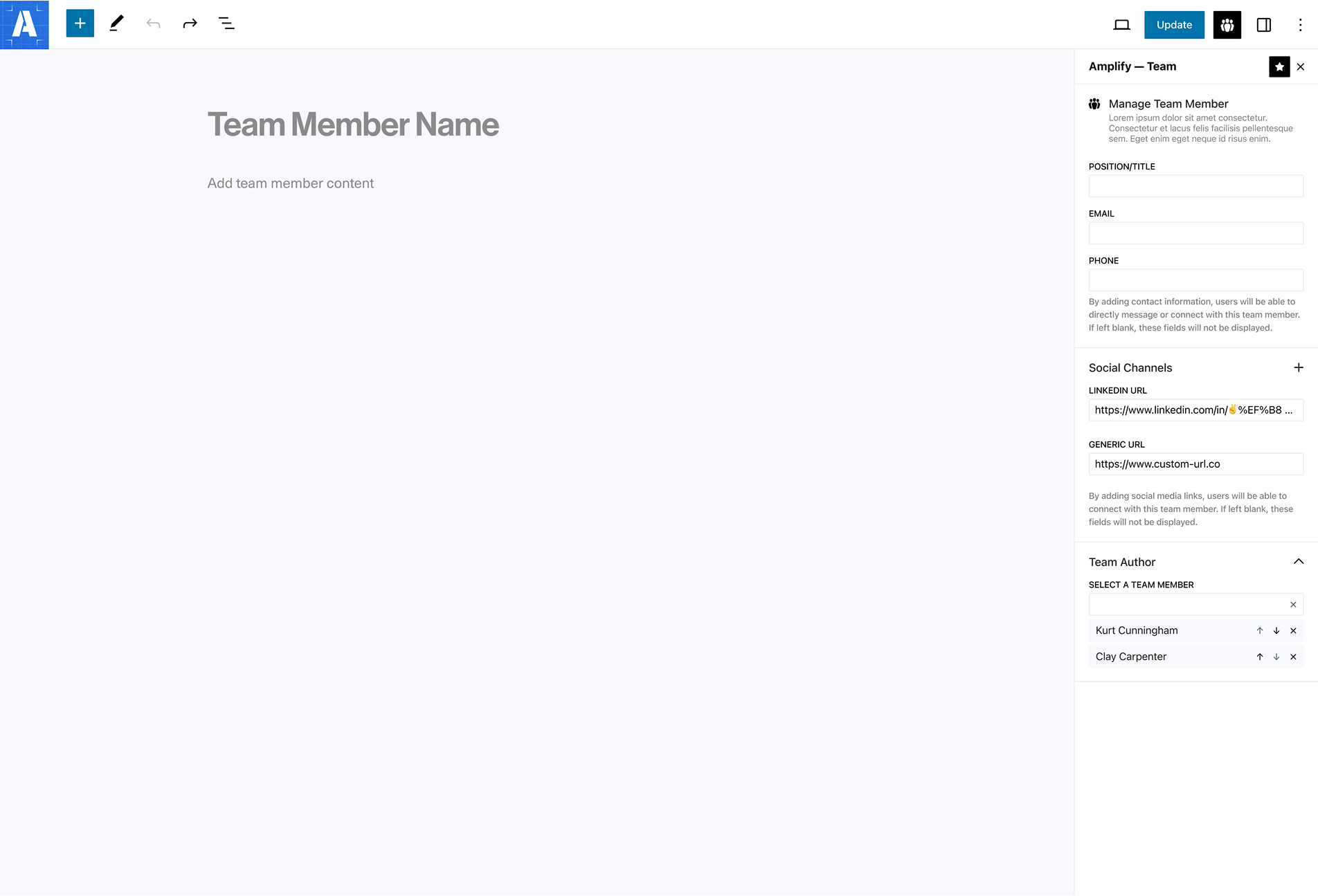
We’re excited to introduce a new feature in Amplify Teams that gives editors more flexibility—and more accuracy—when attributing content.
You can now link any post type (posts, pages, or custom post types) to any team member, whether they’re currently active or no longer with your organization.
Once a team member is scoped to a post, they can be displayed on the front end alongside the content. Active team members will appear with a clickable name and avatar that links to their public profile. Inactive team members will still display on the post, but their profile page will no longer be accessible.
This makes it easy to:
- Properly credit contributors across your site
- Preserve institutional knowledge and authorship over time
- Keep your current team listings clean without erasing past work
In short, your content history stays intact—even as your team evolves.
This feature is available now in Amplify Teams, and works seamlessly across WordPress post types.